
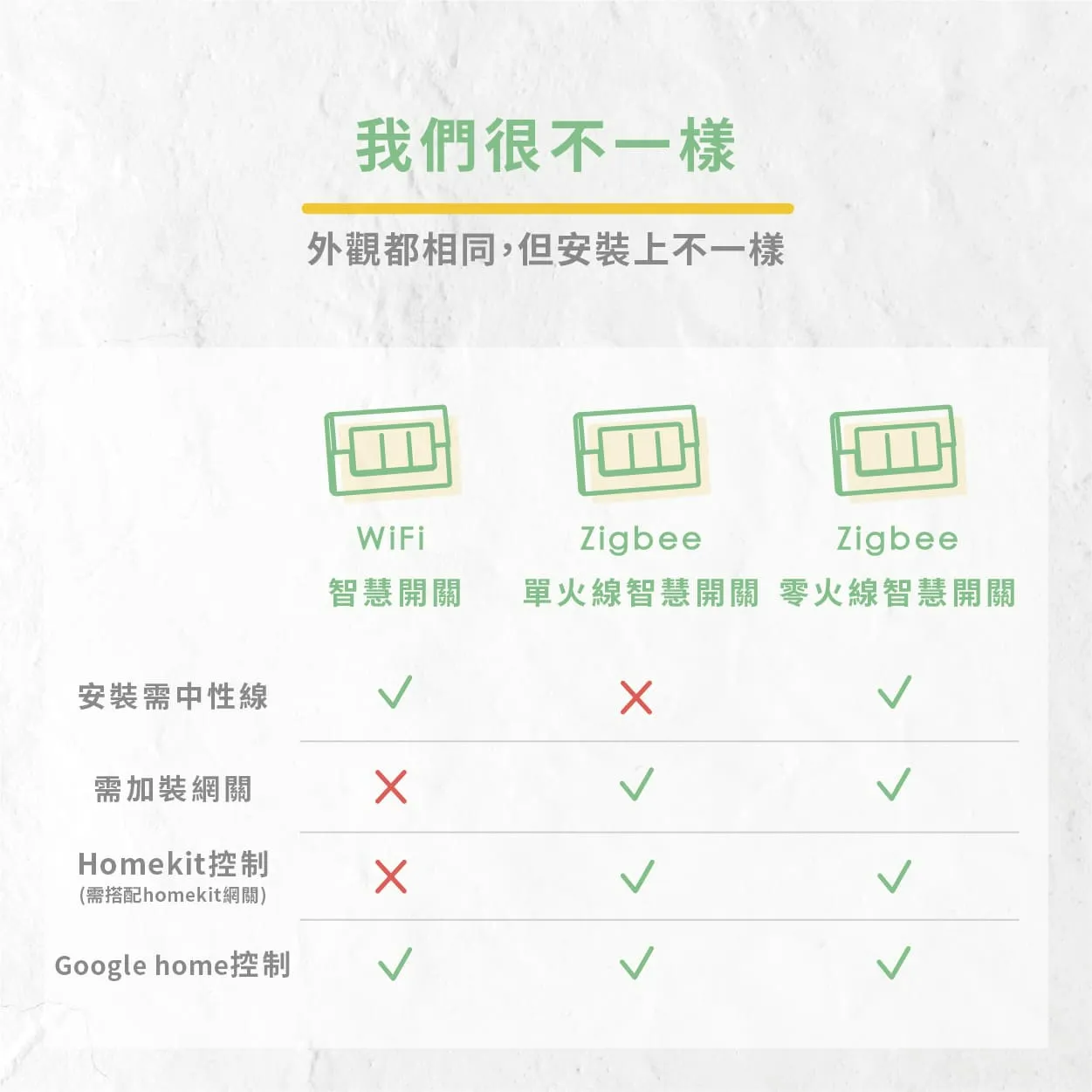
相同的:功能、外觀、顏色、開關按鍵數、需要WiFi
不同的:安裝方式
WiFi智慧開關:安裝需要中性線(N線,又稱地線、水線,或是電源),一般家庭的開關線路極少有中性線(N),或是難分辨中性線(N)的困擾,需要另外請水電師傅來幫忙。
Zigbee單火線智慧開關:又稱單火線版,免中性線(N),自行DIY也很省力,但需搭配Zigbee網關(又稱閘道器)使用,每台網關可支援約50台設備,可以搭配homekit網關進入homekit使用。
Zigbee零火線智慧開關:又稱零火線版,安裝需要中性線(N線,又稱地線、水線,或是電源),一般家庭的開關線路極少有中性線(N),或是難分辨中性線(N)的困擾,需要另外請水電師傅來幫忙,需搭配Zigbee網關(又稱閘道器)使用,每台網關可支援約50台設備,可以搭配homekit網關進入homekit使用。
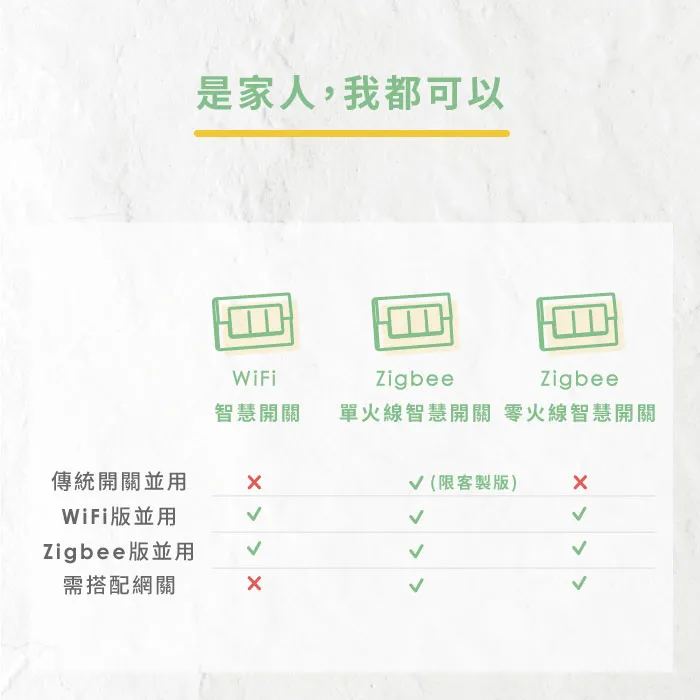
 WiFi/Zigbee零火
 需將三個開關都更換為智慧開關後,透過APP設定多控關聯Zigbee單火一般版需將三個開關都更換為智慧開關後,透過APP設定多控關聯(若三處開關皆為單開關則不適用)Zigbee單火客製版可以搭配傳統開關三切,不過安裝有線路限制,且三個開關中至少需更換兩個智慧開關才能搭配成功
 Zigbee單火版因屬於單火取電,若要搭配四路三切前,建議先拍下原傳統開關,提供給客服人員為您評估喔!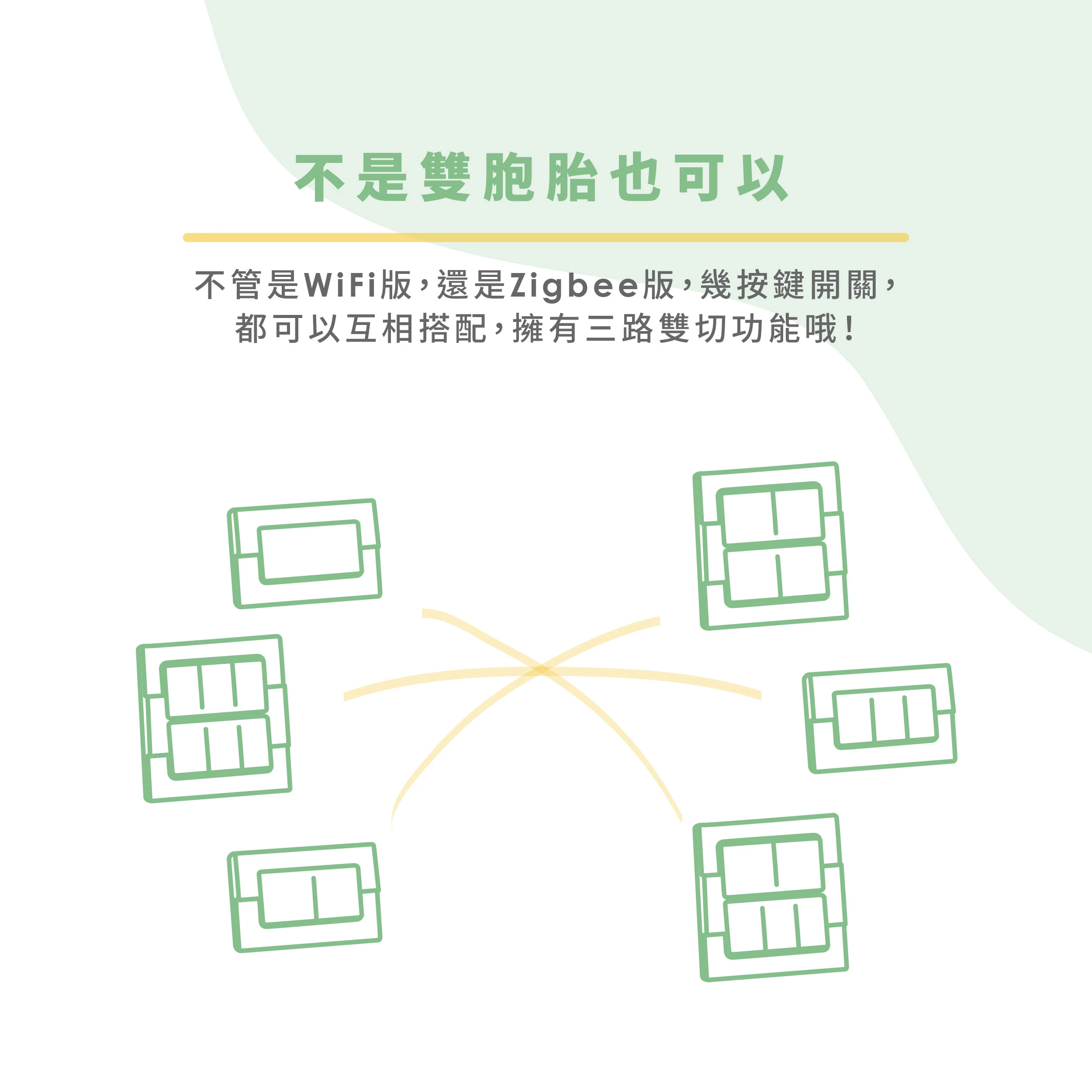
Q:原先已經有購買VIZO WiFi版的智慧開關,還能加裝VIZO Zigbee版的智慧開關嗎?
A:可以的!VIZO智慧開關之間不分版本都可以互相搭配雙切哦~
可以!若是開關+插座的組合,接線盒內一定會有中性線(N),但更換VIZO智慧開關後,原插座即無法保留,只能捨棄插座功能。
藍燈恆亮有兩種情形
- 設備離線→網路(外網)恢復後就會自動解決
- 設備被長按進入配網模式後沒有完成配網→需要再重新長按開關進入配網模式重新配網使用。
所以如果是第一種狀況,請不要重新配網哦!(先試著重新啟動家用WiFi AP或短按開關Reset鍵)
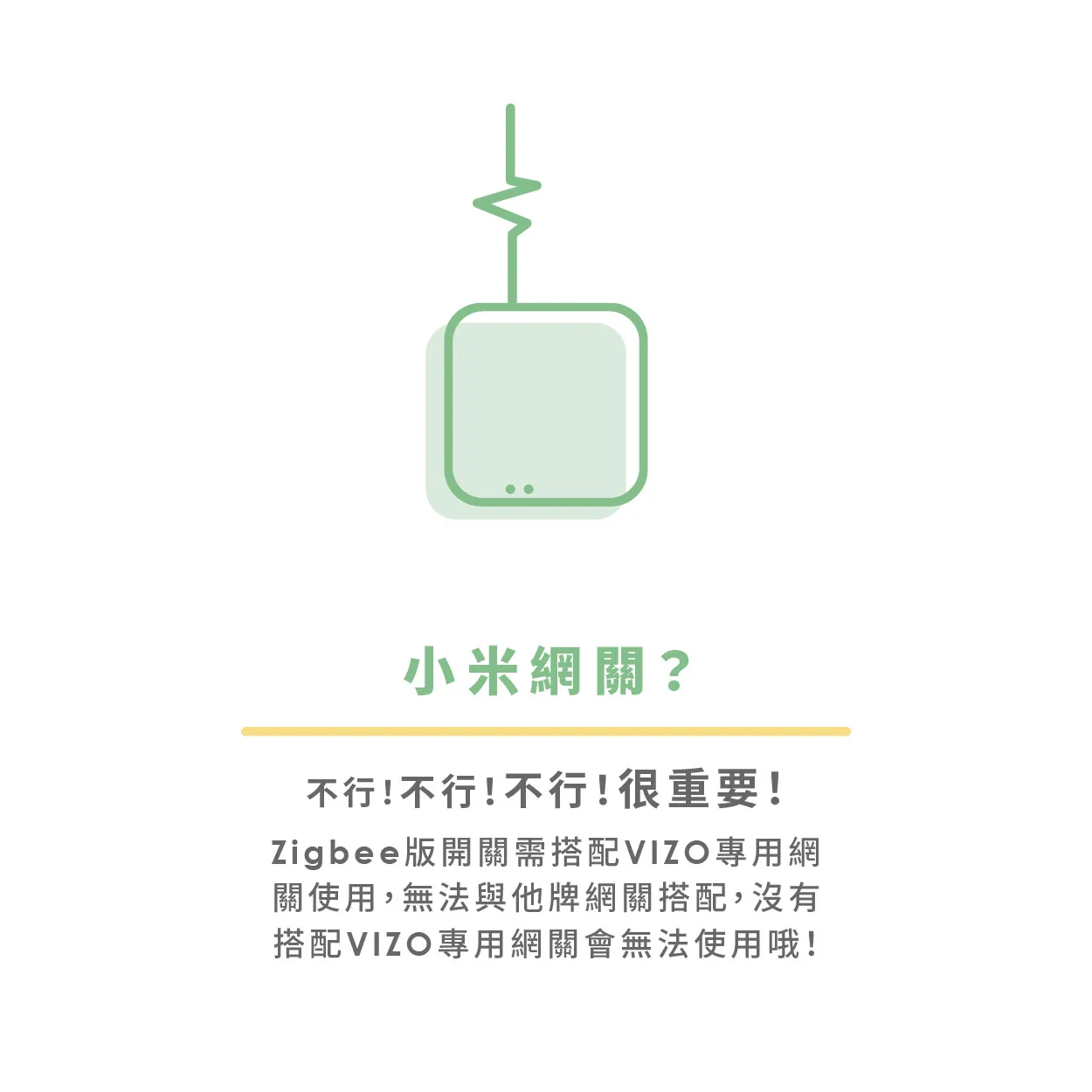
雖然同是Zigbee通訊協定,但跟他牌是不同系統,網關當然也無法通用,若想要兩個品牌一起做自動化的搭配,可以透過Google Home或是Homekit(需搭配Homekit網關)達成某種程度的整合。
網關是用來轉換WiFi與Zigbee間的訊號,一個網關可以添加50個Zigbee子設備,概念類似家用WiFi AP,基本家中的WiFi AP怎麼配置,網關也相同配置即可。
以透天厝來說會建議全屋配置一個即可,若後續覺得有哪些角落訊號不是很足夠,可以增設Zigbee智慧插座來延伸信號。
如果原本電燈就有那個功能,換了智慧開關後還是會有哦~
若安裝zigbee版本,需要注意最小段數的負載取電問題,建議選擇燈具時避開負載小於5瓦的燈具。
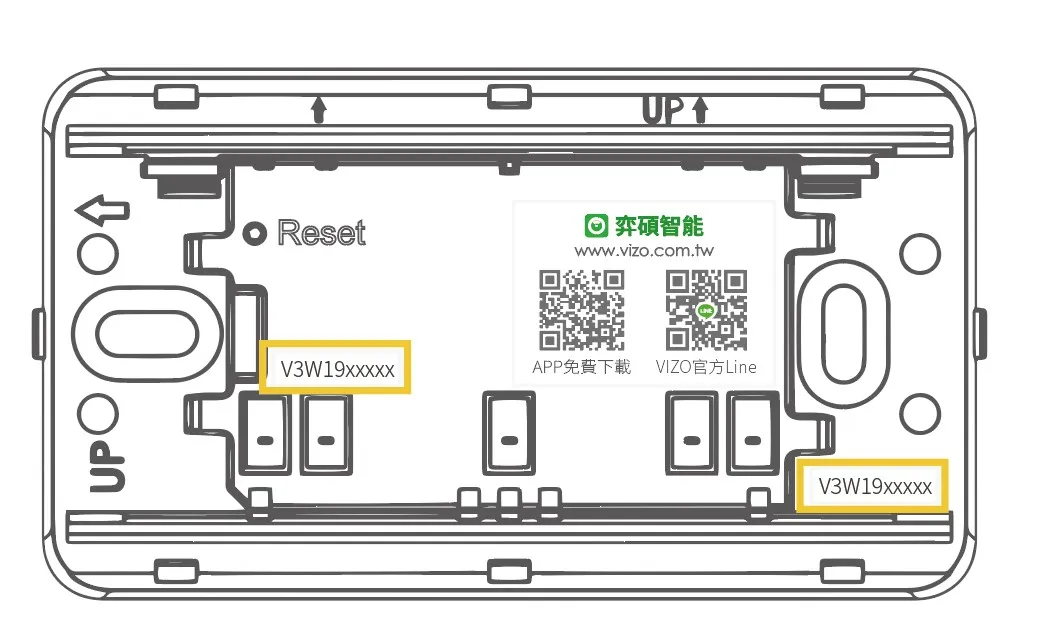
開關類:移除外框後,會於底座右側找到序號貼紙;或是將面框及按鍵取下後,於上圖黃色框格處即可看見一張序號貼紙
智能插座類、萬用iR遙控器、感應器類…等產品:在產品背面或側面處,即可找到以V開頭的產品序號貼紙
第一步:添加裝置
請先將裝置通電,並開啟電源。
進入 APP 後,在首頁點擊右上方「+」添加裝置,進入配網頁面,選擇相應的裝置類型。
將裝置設為配網狀態:配網指示燈快速閃爍(每秒閃爍2次)在「確認指示燈在快閃」按鈕上方有「重置設備詳細教程」的操作說明,請您參考操作。
如果是壁面開關產品,請長按開關鍵8秒
如果是像插座等有開關但是沒reset鍵的產品,請長按開關5秒
如果是燈泡之類自己沒有開關的話,連接到燈座上,操作「開-關-開-關-開(開關3次)」,並停留到開燈狀態,看到燈快閃即可
如果是有reset鍵的產品,請長按reset鍵5秒就可以
- 若欲配網的是Zigbee系列設備,配網前請先確認家庭內已有配網完成的網關
第二步:輸入WiFi密碼(除無線網關外之Zigbee系列設備無須此步驟)
選擇裝置可連接網際網路的WiFi路由器(AP),輸入 WiFi密碼進入配網過程。現只支援2.4G的WiFi進行配網,請檢查該WiFi是否是2.4G網絡。最後,稍等幾秒,顯示配網成功即可。
連網失敗(添加裝置失敗)如何排除?
1. 確保裝置通電並開機。
2. 確保裝置處於待配網狀態。
3. 確保裝置、手機、WiFi路由器(AP)三者靠近。
4. 確保WiFi路由器(AP)、手機之間的WiFi連線暢通。

5. 確定輸入的WiFi密碼正確。
6. 確定使用 2.4G 的 WiFi 頻段添加裝置,WiFi SSID需要開啟廣播,不可設置為隱藏。
7. 確定WiFi路由器(AP)的WiFi加密方式為 WPA2-PSK,認證類型為AES,或兩者皆設置為自動。 無線模式不能為 11n only。

8. 確定WiFi SSID 名稱未使用中文。
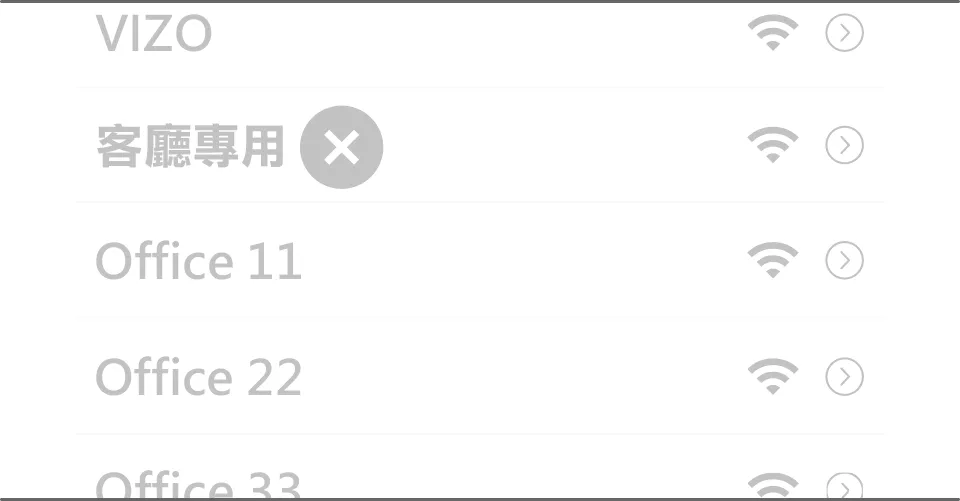
9. 若WiFi路由器(AP)接入裝置量達到上限,可嘗試關閉某個裝置的 WiFi功能以空出通道,重新配置。
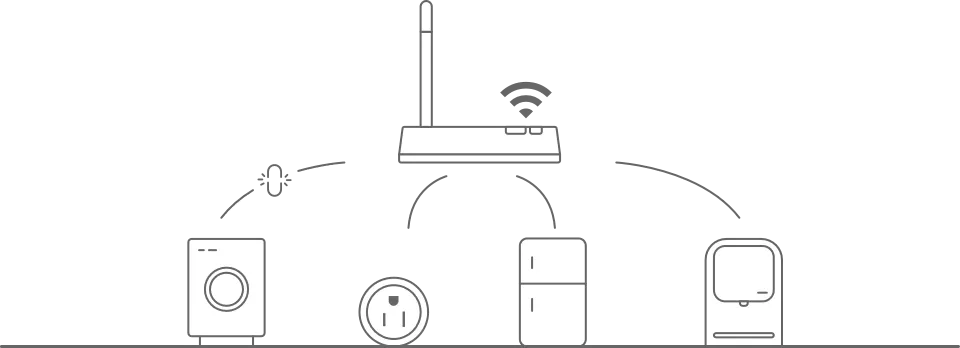
10. 若WiFi路由器(AP)開啟無線 MAC地址過濾,可嘗試將裝置移出WiFi路由器(AP)的 MAC 過濾列表,保證WiFi路由器(AP)沒有禁止裝置連網。

如果用實體開關控制裝置後,打開APP可能裝置狀態未及時同步。建議您打開APP,在裝置畫面用手指由螢幕的上方往下滑動,裝置清單即會重新整理並更新狀態。
添加裝置時,需要裝置和手機在同一WiFi環境下,添加成功後,即可以使用行動網路控制裝置。
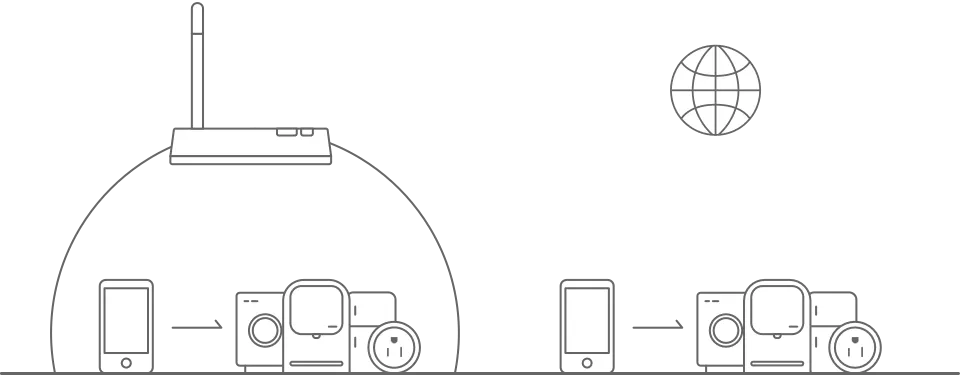
“ 裝置連網後,在同一個地點可以控制,但是手機換別的位置或者別的網路就無法遠端控制了!”
如果裝置遇到這樣的情況,有可能是裝置和手機是連接在同一個區網,但是未連接至網際網路。
1. 請將手機置於裝置旁,然後連接跟裝置相同的WiFi,嘗試打開網頁看是否可以打開,來判斷WiFi是否可連接至網際網路。
2. 如果無法連上網路,建議重啟路由器。
3. 如果裝置已連接至網路,出現以上問題,請進入該裝置的控制頁面,點擊右上角「
 」按鈕進入更多頁面,點擊「常見問題和反饋」輸入您遇到的問題,並提供您的路由器型號,我們將竭誠為您服務。
家中有多個WiFi網路的話,會建議將多個WiFi網路都設成一樣的名稱及密碼,產品會自動連上訊號強度較高的那個網路哦!
WiFi/Zigbee 智慧開關
- 手動按鍵若可以控制,請試著重啟WiFi路由器(AP)
- 手動按鍵若無法控制,請短按Reset鍵重啟設備
- 若以上兩種方式都無效,請將裝置移除,打開APP進入該裝置控制頁面,進入右上角「 」按鈕,頁面下方點擊「移除設備→解除綁定」,直到設備藍燈快閃後再次將設備配網完成。
其他智能設備
- 先試著重啟WiFi路由器(AP)
- 若無效,請將設備重新通電
- 若以上兩種方式都無效,請將裝置移除,打開APP進入該裝置控制頁面,進入右上角更多頁面,點擊下方「移除設備→解除綁定」,直到設備快閃配網指示燈後,再次將設備配網完成。
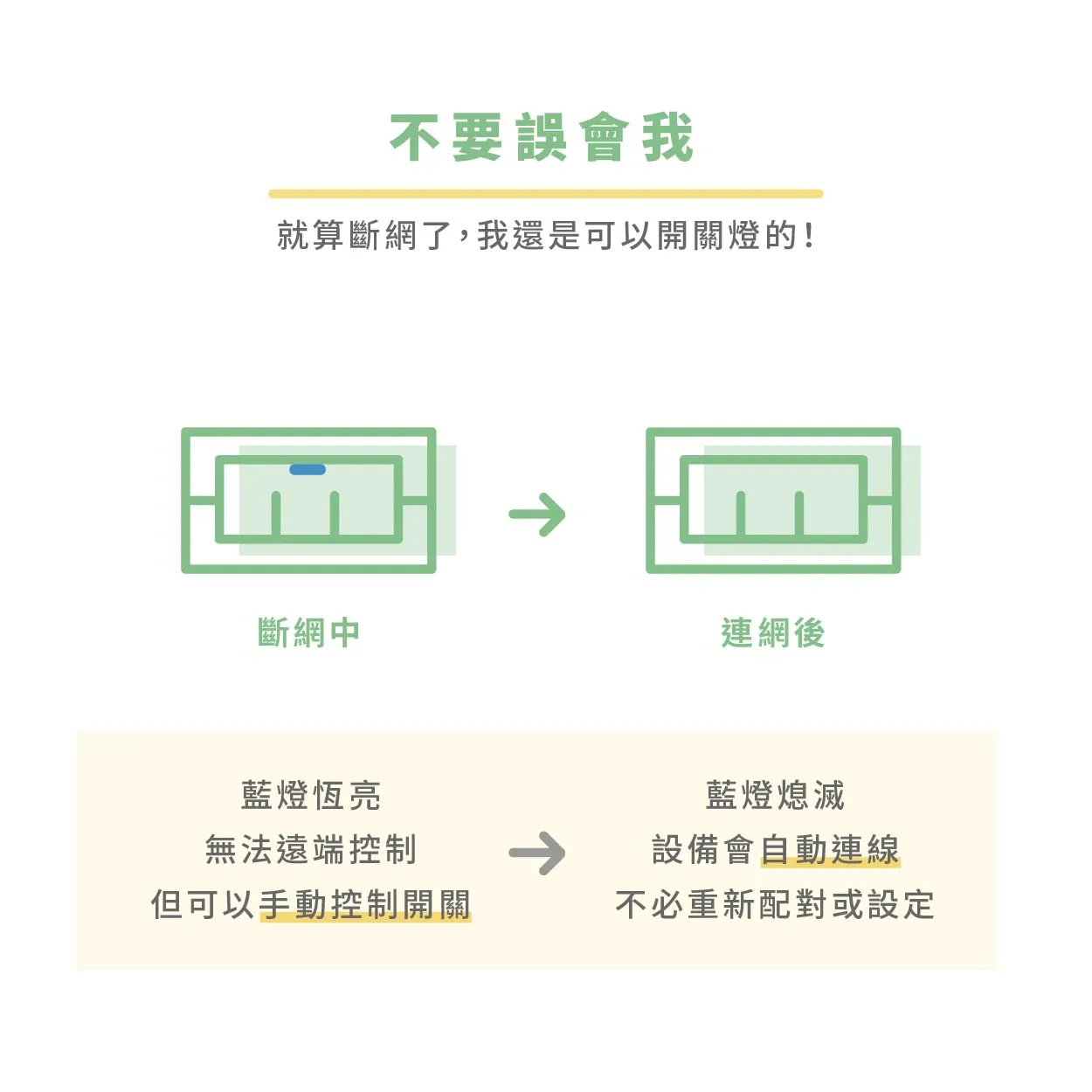
Q:如果家中斷網了怎麼辦?是不是就沒辦法開關燈了?
Q:如果不小心切掉總電源,再次送電時,是不是就要重新設定、重新配網了?
A:斷網時,手機APP無法操控,但電燈實體按鍵處還是可以操控電燈的哦!
VIZO弈碩智能的產品,的確都需要仰賴WiFi網路,包含Zigbee版本也是一樣,不論是使用到一半發生「網路斷線了」或是「斷電」、「停電」、「沒電」 等等情況,當網路或電力恢復正常時,設備會「自動連網」直到配網指示燈熄滅,不必再重新配網或設定囉。

沒電的設備就像裝睡的人一樣,叫不醒 der~~~~~~~~~~
※當恢復供電時,設備一樣會自動連網喔。
請將倒數計時時間設置為「0小時0分鐘」,或是將右方開關「 」關閉即可,即可取消倒數計時。
請進入APP→個人中心  點擊個人頭像進入基本資訊頁,在「溫度單位」選擇您所需要的溫度單位即可,更改後,後續設置場景等就會按照您選擇的溫度單位來執行。